

Shotcut — Free open-source video editor with wide format support and a no-nonsense timeline
What it is
Shotcut is a free, cross-platform video editor built on FFmpeg, so it opens almost any format without conversion. You get a multi-track timeline, keyframed filters, and 4K editing on modest hardware. The interface is utilitarian and expects you to learn it, which is the price of paying nothing.
Editor's review
Long-form introduction by the BetterPicker editors · checked against the official site · Oct 9, 2026
Shotcut is the free video editor to pick when you want real timeline editing without watermarks, accounts, or export limits. It opens an enormous range of formats through its MLT framework backbone, runs natively on Windows, macOS, and Linux, and ships steady releases, with v26.9.27 landing in late September 2026. The interface is functional rather than charming, and export settings deserve a study session, but the capability-per-dollar here is unbeaten. For straightforward editing, it belongs next to the big names.
What it does well
Format support is the quiet superpower. Built on the MLT framework and FFmpeg, it opens hundreds of codecs and containers without an import-conversion step. Odd camera files, drone footage, and screen recordings that make other editors sulk usually just open here, which alone endears it to anyone with messy sources.
Real timeline editing, not a toy. You get a multitrack timeline, keyframed filters, transitions, audio mixing, and proxy workflows that keep older machines moving. Panels are dockable and layouts are configurable, so with an hour of setup it behaves like a proper editing suite rather than a gimmick.
It is genuinely cross-platform and portable. The Windows build can run from a USB drive, the Linux version sits in most distribution repositories, and development moves at a steady cadence. Recent releases such as v26.9.27 keep landing improvements without pushing you toward a paid tier, because there is no paid tier.
Who it's for
Budget-conscious creators, Linux users who want a capable native editor, families cutting together footage, and tutorial makers who need reliable exports without ceremony. Filmmakers and content teams with Linux boxes in the edit bay benefit especially. It fits people who value function over fashion. It fits poorly if you want cinematic color grading or industry-standard collaboration, where DaVinci Resolve is the stronger free choice.
Where it falls short
The interface prioritizes function over polish. Panels feel dated, some dialogs bury settings, and the first hour involves rearranging things to taste. It is usable, just not pretty out of the box. Nothing blocks real work, but newcomers coming from polished phone editors will notice the difference immediately.
Hardware acceleration needs manual setup. Exports expose a choice of encoders, and the default path can be slower software encoding on machines that could use the GPU. Learning which hardware encoder option matches your graphics card is the difference between quick and sluggish renders.
The learning ecosystem is smaller. Official documentation and tutorials exist, but the community around Shotcut is far smaller than around Resolve or CapCut. Expect fewer ready-made templates, effects packs, and answers, and plan on official docs plus patience rather than a video for every question.
Specs at a glance
Facts from the official site · not editorial opinion
| License | GPL 3.0, free and open source |
|---|---|
| Latest release | v26.9.27 (September 2026) |
| Platforms | Windows, macOS, Linux |
| Framework | MLT with FFmpeg codec support |
| Cost | Free; no watermark, no account |
| Core features | Multitrack timeline, keyframes, filters, proxies |
| Format support | Hundreds of codecs and containers |
Frequently asked questions
▸What is Shotcut?
Shotcut is a free, open-source video editor with a multitrack timeline, filters, and wide format support. You cut clips together, add transitions and text, fix audio, and export without watermarks. It runs on Windows, macOS, and Linux from the same project.
▸Is Shotcut really free?
Yes. It is GPL-licensed open source with no paid tier, no watermark, no export limits, and no account. Donations support development, and every feature in the application is available to everyone who downloads it.
▸Shotcut or DaVinci Resolve?
Shotcut is lighter, simpler, and runs on weaker machines, which makes it ideal for straightforward cuts and tutorials. Resolve is far deeper on color and audio and wants serious hardware. A practical rule: start with Shotcut for simple projects, and move to Resolve when your projects outgrow it.
▸How do I make exports faster?
In the export settings, choose a hardware encoder that matches your graphics card instead of the default software encoder, and export an intermediate-friendly preset rather than re-encoding twice. On older laptops, working with proxy files during editing also keeps the timeline responsive.
Reviews on YouTube
5 review videos aggregated · praise and criticism included alike · click through to the original video
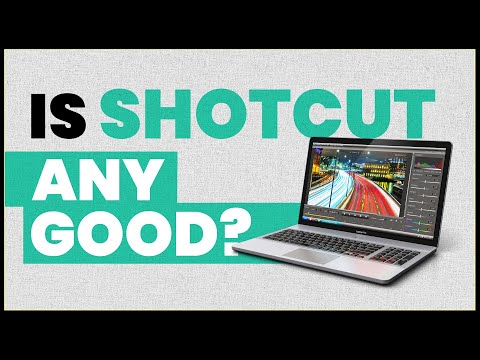
Channels that covered it
Channels are aggregated as sources only — we don’t rate creators




Related tools




Where to go next
External links open in a new tab; external content is independent of this site.
Link down? Every object page is re-checked monthly.