

RustDesk — Open-source remote desktop that works out of the box or fully self-hosted
What it is
RustDesk is an open-source remote-desktop client/server (a TeamViewer alternative) with file transfer, chat and mobile support. Public relays let it work immediately; self-hosting your own relay server keeps traffic entirely on your network. Performance on bad links and relay setup effort are the usual caveats in reviews.
Editor's review
Long-form introduction by the BetterPicker editors · checked against the official site · Oct 9, 2026
RustDesk is the open-source remote desktop to pick when TeamViewer's commercial licensing games and per-seat invoices wear thin. It connects Windows, macOS, Linux, iOS, and Android, works free through its public infrastructure, and can be self-hosted entirely so your sessions never route through anyone else's cloud. The mobile clients are rougher than the incumbents, and the fastest paths want your own relay server, but the core is solid and the price is honest. For support work and homelabs, it has become the obvious open answer.
What it does well
Cross-platform without the asterisks. Windows to Mac, phone to PC, a headless Linux box from anywhere: unattended access, file transfer, clipboard sync, and multi-monitor support come standard in one client. The same behavior appears on every platform, which is rarer than it should be. Commercial tools gate variations of this exact matrix behind subscriptions, and RustDesk simply includes it.
Self-hosting is first-class, not an afterthought. The code is AGPL 3.0, and the relay components run on your own server, keeping session traffic inside your network. Organizations that need SSO, LDAP, and audit logging can step up to Pro plans starting at $11.88 a month without abandoning the ecosystem.
Free where it counts. The current 1.5.0 release shipped at the end of September 2026, basic remote control requires no account, and development happens in the open. There are no forced upgrade prompts or feature nags, which is refreshingly rare in this category.
Who it's for
IT people supporting family machines, homelab users reaching headless servers, small businesses replacing per-seat remote-access licenses, and organizations with data-residency needs that self-host the relay. It fits anyone comfortable choosing their own infrastructure. It fits poorly if you want one polished app for a non-technical household and zero setup, where the big commercial names still win on smoothness.
Where it falls short
Public relay speed is the free tax. Sessions through the shared public infrastructure can feel slower than paid incumbents, especially across continents. Direct peer-to-peer paths help when NAT allows them, and self-hosting a relay fixes throughput properly, but that is your server and your maintenance.
Polish trails the incumbents. The mobile clients work but have quirks around keyboard layouts and input mapping, and documentation assumes more patience than TeamViewer's. Every feature exists; some of them just feel like a project rather than a product. Budget an evening to learn its quirks properly.
Self-hosted security is your job. Patching the relay, managing keys, and controlling network exposure shift to you the moment you run your own infrastructure. Treat the relay like any production service. Pro adds access controls and auditing for organizations, but the free self-hosted path assumes you know what you are doing.
Specs at a glance
Facts from the official site · not editorial opinion
| Latest release | 1.5.0 (September 2026) |
|---|---|
| License | AGPL 3.0, open source |
| Platforms | Windows, macOS, Linux, iOS, Android |
| Cost | Free; self-hosted relay servers included |
| Pro plans | From $11.88/mo with SSO, LDAP, audit logging |
| Core features | Unattended access, file transfer, multi-monitor, clipboard sync |
| Company | RustDesk |
Frequently asked questions
▸What is RustDesk?
RustDesk is an open-source remote desktop program for controlling one computer from another, with file transfer, unattended access, and clients for desktop and mobile platforms. It works out of the box through public servers and can be fully self-hosted. Think of it as an open alternative to TeamViewer or AnyDesk.
▸Is RustDesk free?
Yes. The client and the self-hosted relay servers are free and open source under AGPL 3.0. Optional Pro plans for organizations start at $11.88 per month and add management features like SSO, LDAP, and audit logging, but personal remote access costs nothing.
▸RustDesk or TeamViewer?
TeamViewer is smoother, especially on mobile, and handles awkward networks gracefully, but commercial use triggers license checks and per-seat costs. RustDesk is free, self-hostable, and honest about licensing, at the cost of some polish. Support people and homelab users generally prefer RustDesk; enterprises with budgets may stay commercial.
▸Do I need to self-host a relay server?
No, it works immediately through public infrastructure. Self-hosting buys you speed on slow public relays and full control over where session data flows, which matters for businesses and privacy-sensitive use. Home users can stay on the defaults and self-host later if sessions feel slow.
Reviews on YouTube
5 review videos aggregated · praise and criticism included alike · click through to the original video
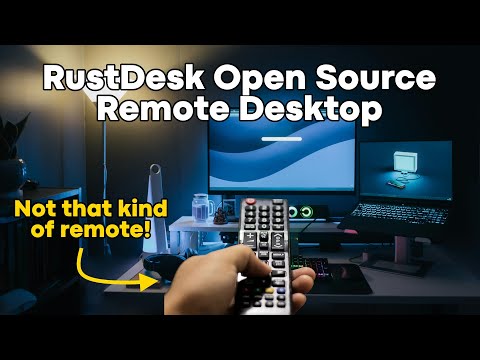
Channels that covered it
Channels are aggregated as sources only — we don’t rate creators




Related tools




Where to go next
External links open in a new tab; external content is independent of this site.
Link down? Every object page is re-checked monthly.