

OBS Studio — Open-source studio for live streaming and screen recording with scene-based composition
What it is
OBS Studio is free, open-source software for capturing and mixing sources — screens, windows, cameras, overlays — into scenes for recording or streaming to platforms like Twitch and YouTube. Typical use is game streaming, tutorial recording and event broadcasts with custom layouts. It gives little guidance on settings, so bitrate, encoder and audio setup take trial and error, and heavy scenes can overload weaker CPUs.
Editor's review
Long-form introduction by the BetterPicker editors · checked against the official site · Oct 9, 2026
OBS Studio is the default answer for recording your screen or going live, and the default is correct. It is free and open source, runs on Windows, macOS, and Linux, and handles everything from a single webcam lecture to a scene-switched multi-camera stream. Version 32.2.2 landed in August 2026, keeping a line of development that has run for a decade. Nothing here is one-click; you compose scenes from sources and learn a settings panel with real depth. If you record or stream more than twice a year, that depth pays for itself immediately.
What it does well
Scene-based composition is the core idea. A scene is any arrangement of window captures, cameras, images, and overlays, and you switch between prepared scenes while live. Set up a talking-head scene, a gameplay scene, and a demo scene once, and every future recording starts from a working layout.
The plugin ecosystem fills every gap. Because the project is open source under GPL 2.0, a large community builds plugins for everything from better audio filters to integrated chat. When a feature is missing, someone has usually written the extension, and installing the popular ones is a download away.
It records locally and streams anywhere. Output goes straight to disk in containers such as MKV and MP4, or out to Twitch and YouTube through built-in integration. Beginner tutorials for the recent versions with approx 1.6 million and approx 154,000 views show a steady flow of new people setting it up.
Who it's for
Streamers, course creators, and anyone who needs dependable screen recording without a watermark or a subscription. It fits teachers recording lectures, developers walking through code, and gamers capturing sessions. Schools and small studios use it for the same reason: it never asks for a credit card. It is the wrong tool if you want automatic editing afterward; OBS captures, it does not cut.
Where it falls short
There is no editing after the fact. Recordings arrive as one long file, so trimming, captions, and music all happen in a separate editor. Plan for that second tool, because a capture suite is not a post-production suite, and many streamers pair OBS with a free editor and call the combination complete.
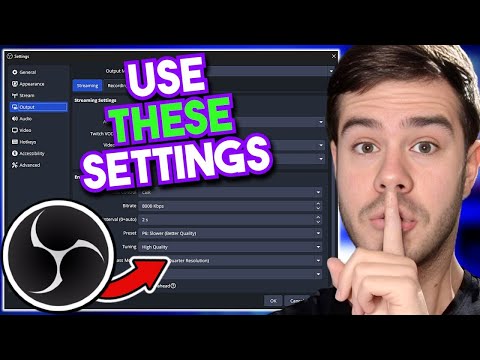
The settings panel assumes you will read. Encoders, bitrate, sample rate, and color formats are all exposed, which is power for the informed and a wall for the beginner. The popular settings walkthroughs with approx 1 million views exist because guessing produces stuttery files.
Low-end machines pay for every filter. Each source, overlay, and filter costs frames, and a modest laptop can drop them during a recording rather than politely slowing down. Test before the real take; a recording with dropped frames cannot be fixed afterward.
Specs at a glance
Facts from the official site · not editorial opinion
| License | GPL 2.0, free and open source |
|---|---|
| Latest release | 32.2.2 (August 2026) |
| Platforms | Windows, macOS, Linux |
| Cost | Free, no watermark, no account required |
| Core features | Scene composition, screen and camera capture, live streaming, local recording |
| Outputs | MP4, MKV, and other containers; RTMP streaming to Twitch, YouTube, and more |
| Extensibility | Large third-party plugin ecosystem and API |
Frequently asked questions
▸What is OBS Studio?
OBS Studio is a free, open-source application for capturing and mixing video and audio in real time. You build scenes from sources such as screens, cameras, and microphones, then record them to a file or stream them live. It is the most widely used tool for game streaming and screen recording.
▸Is OBS Studio free?
Completely. It is GPL-licensed open source with no watermark, no account, and no paid tier. The project is funded through donations, so the money you would have spent on capture software can go toward a microphone instead.
▸OBS Studio or Streamlabs?
Streamlabs Desktop is built on OBS and wraps it with themed overlays, integrated alerts, and a friendlier setup wizard. Plain OBS is lighter on system resources and has a larger plugin ecosystem. Most guides suggest starting with OBS Studio and moving only if you miss a specific Streamlabs feature.
▸Can OBS edit my recordings?
No. OBS captures and streams; it does not trim clips, add captions, or mix music. Export the recording to an editor such as DaVinci Resolve for anything beyond start and stop. Recording to MKV and remuxing afterward protects your footage if the machine crashes mid-take.
Reviews on YouTube
4 review videos aggregated · praise and criticism included alike · click through to the original video
Channels that covered it
Channels are aggregated as sources only — we don’t rate creators

Related tools




Where to go next
External links open in a new tab; external content is independent of this site.
Link down? Every object page is re-checked monthly.