

Jellyfin — Free self-hosted media server that streams your movie, show and music library to any device
What it is
Jellyfin is a self-hosted media server: point it at your video and music files and it organizes them with metadata, then streams to web, mobile and TV apps with no account on anyone else's servers. Typical use is a home media library shared across the household. Because it is fully community-run, some clients are less polished than commercial rivals, and access from outside your network takes extra setup such as a reverse proxy or VPN.
Editor's review
Long-form introduction by the BetterPicker editors · checked against the official site · Oct 9, 2026
Jellyfin is the media server to pick when you want your movie and music library streamed to every screen in the house, with no fees, no accounts on someone else's server, and no telemetry. You run it, you own it, and the project states plainly that there are no hidden costs and no tracking. Version 12.2 landed in October 2026, and development moves quickly. The price of that independence is doing your own setup and accepting less polish than commercial players offer.
What it does well
Your library streams to nearly everything. Server software runs on Linux, Windows, macOS, and NAS boxes, with client apps for TVs, phones, streaming sticks, and plain browsers. One machine holding the files serves the living room, a tablet in bed, and a laptop on the road, with subtitles, multiple audio tracks, and watch-state sync following along.
The no-strings position is real. The project is open source under GPL 2.0, runs on your hardware, and makes a point of collecting nothing: no fees, no tracking, no hosted accounts. Nobody can raise a price, insert ads, or change the terms on a server you control.
The community momentum is visible. A Jellyfin versus Plex comparison with approx 2.9 million views and a NAS setup video with approx 1.5 million views show how mainstream self-hosted media has become, and budget server builds keep drawing approx 668,000 views. That audience means a guide for almost any device problem already exists.
Who it's for
People with a NAS or an old PC, families tired of managing who has access to what, and anyone uncomfortable with a company keeping their watch history. It fits collectors with large libraries best, and tinkerers get the most out of it; minimalists should think twice. Renters who want something working tonight with zero administration should weigh a commercial service honestly.
Where it falls short
You are the administrator. Installation, storage planning, library scans, updates, and the occasional broken episode all belong to you. Docker makes the first part manageable, but a media server is a small system administration commitment; budget a weekend for setup and an hour a month after that.
Remote access takes real configuration. Playing your library from outside the house means a reverse proxy, a tunnel, or another secure path, set up and maintained by you. The docs cover the standard routes well, but you are following instructions, not clicking a button labeled remote access. The project deliberately avoids running infrastructure for you, which is the same independence you chose.
Client polish is uneven. The web interface is solid, but individual TV and console apps vary in features and refinement, and hardware transcoding takes manual setup with the right build. Check your specific devices against the clients page before moving the family over.
Specs at a glance
Facts from the official site · not editorial opinion
| License | GPL 2.0, free and open source |
|---|---|
| Latest release | v12.2 (October 2026) |
| Cost | Free; no fees, no tracking, no hosted accounts |
| Deployment | Self-hosted on your hardware: Linux, Windows, macOS, NAS, Docker |
| Clients | Web browser, mobile apps, TV and streaming-stick apps, Kodi and more |
| Transcoding | CPU transcoding plus optional hardware acceleration |
| Remote access | Bring your own secure path: reverse proxy or tunnel |
Frequently asked questions
▸What is Jellyfin?
Jellyfin is a free, open-source media server that organizes your movie, show, and music files and streams them to apps on TVs, phones, and computers. The server runs on hardware you own. Think of it as your private streaming service with a catalog of exactly what you have.
▸Is Jellyfin really free? Where is the catch?
There is no catch. The project is GPL-licensed, runs on your hardware, and commits to no fees and no tracking. You pay for your own storage, hardware, and electricity, which is why it pairs naturally with a NAS.
▸Jellyfin or Plex?
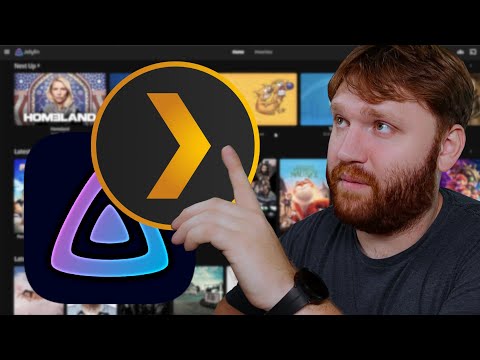
Plex is more polished, easier to set up, and adds commercial features, at the cost of accounts on Plex's servers and steadily more paid tiers. Jellyfin is fully self-hosted with no fees and no tracking, and requires more administration from you. Comparison videos with millions of views generally frame it as convenience versus control.
▸How do I watch my library outside my home?
You need a secure path from the internet to your server, because Jellyfin does not run hosted infrastructure for you. Common options are a reverse proxy with HTTPS, or a Cloudflare Tunnel that avoids opening router ports. Whichever you choose, put authentication in front of it.
Reviews on YouTube
4 review videos aggregated · praise and criticism included alike · click through to the original video



Channels that covered it
Channels are aggregated as sources only — we don’t rate creators




Related tools




Where to go next
External links open in a new tab; external content is independent of this site.
Link down? Every object page is re-checked monthly.