

Git — The distributed version control system nearly all software development runs on
What it is
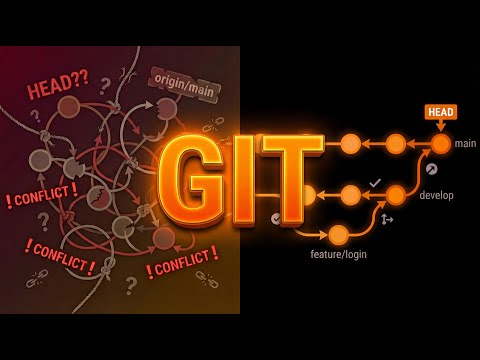
Git is the free, open-source version control system that underpins GitHub, GitLab and modern team workflows: branches, merges, rebases and full offline history in every clone. It is command-line first, unforgiving of typos, and its mental model takes a while to click - which is why every beginner Git explainer on YouTube gets millions of views.
Editor's review
Long-form introduction by the BetterPicker editors · checked against the official site · Oct 9, 2026
Git is version control. Every graphical tool in this category is a friendly face on top of it, and every working developer touches it weekly if not hourly, so the real question is not whether to learn it but how soon. It is free, open source, and behaves identically on your laptop and your servers, and the current 2.56 release keeps decades of muscle memory working. The price is a famously unforgiving mental model. None of that changes the conclusion; it just sets the tuition.
What it does well
Branching is the design, not a feature. Branches are cheap and instant, so feature work, bug fixes, and experiments each get their own line of history. Merging and rebasing between them is the daily rhythm of every team workflow, and none of it requires a server or even a network connection.
It works offline and everywhere. The full history lives inside your project folder, so commits, diffs, and logs keep working on a plane with no wifi. Servers come and go; the repository on your disk does not care. The same tool runs on Windows, macOS, and Linux, and scripts written a decade ago still run against the current 2.56.0 release.
The ecosystem turned it into infrastructure. GitHub, GitLab, and every code host speak Git; editors, GUIs, and CI systems assume it; the Pro Git book is free online. Learning Git means joining a shared professional language rather than adopting one company's product.
Who it's for
Every software developer, full stop, plus system administrators versioning configs, writers tracking document history, and students building the habit early. Game developers, data scientists, and designers with text-based assets all end up here sooner or later. If you produce text files that matter, Git protects them. It is a poor fit for casual photo and document versioning, where simpler file-history tools ask far less of you.
Where it falls short
The learning curve is infamous. The staging area, detached heads, and the difference between merging and rebasing take weeks to feel natural, and the first botched rebase feels like a small catastrophe. Everyone gets through it; nobody forgets it. Plan a weekend with the free book and the confusion compresses fast.
The command surface is large and arcane. Commands take layers of flags, useful behavior hides behind defaults from 2005, and recovery lives in the reflog, which nobody mentions early enough. A GUI helps, but understanding what it does still means the command line eventually.
It loves text and merely tolerates binaries. Repositories fill with every version of every file, which is perfect for source code and painful for large binary assets that merge poorly. Git LFS patches the problem at the cost of extra machinery.
Specs at a glance
Facts from the official site · not editorial opinion
| License | GPL 2.0, free and open source |
|---|---|
| Latest release | 2.56.0 |
| Platforms | Windows, macOS, Linux, BSD |
| Model | Distributed version control with local full history |
| First release | 2005, created by Linus Torvalds |
| Cost | Free |
| Learning | Pro Git book free online |
Frequently asked questions
▸What is Git?
Git is a distributed version control system that records snapshots of your files over time. You commit changes with messages, branch to try ideas, and merge lines of work back together. It runs locally on your machine and powers every major code hosting platform.
▸Git or GitHub?
Git is the version control tool that runs on your computer; GitHub is a hosting service that stores Git repositories online and adds collaboration features. You can use Git entirely without GitHub. Learning Git first makes every hosting platform easier to understand.
▸Is Git hard to learn?
The basics take an afternoon: init, add, commit, and log. The harder parts are branching strategies, rebasing, and recovering from mistakes, which take weeks of regular use. The famous difficulty is real but front-loaded, and the daily vocabulary is small.
▸Do I need Git for solo projects?
Yes, arguably more than on teams. Solo projects have no colleague to notice you deleted the wrong folder three weeks ago. A local Git repository gives you a complete undo history, and pushing it to any host adds an off-machine backup for free.
Reviews on YouTube
5 review videos aggregated · praise and criticism included alike · click through to the original video
Channels that covered it
Channels are aggregated as sources only — we don’t rate creators





Related tools




Where to go next
External links open in a new tab; external content is independent of this site.
Link down? Every object page is re-checked monthly.