

GIMP — Free, open-source raster editor for photo retouching and digital painting
What it is
GIMP is a free, open-source raster graphics editor for photo retouching, image composition and digital painting, available on Linux, Windows and macOS. It is extensible through plugins and Script-Fu scripting, and can be scripted for batch processing. Its interface and shortcut conventions differ from Photoshop, so switching between the two takes adjustment.
Editor's review
Long-form introduction by the BetterPicker editors · checked against the official site · Oct 8, 2026
GIMP is the veteran of free image editing, older than most tools it gets compared against, and the 3.x line has finally modernized it. The current stable release is 3.2.6, the project develops it as free software under the GNU GPL, and native builds run on Linux, macOS, and Windows. Retouching, compositing, original artwork, and scripted batch processing are all included, with a plugin tradition stretching back to the 1990s. The interface has a reputation, and 3.x improves it without erasing the learning curve. For zero-cost image editing, it remains the reference point others are measured against.
What it does well
The toolset is genuinely complete. Layers, masks, paths, selections, color correction, and a full set of transforms cover retouching and compositing, and the 3.x line adds non-destructive layer effects that meet modern expectations. Paid rivals ship more polish and bundled stock, not more fundamentals than you get here.
Scripting turns it into a pipeline. Script-Fu and Python scripting automate bulk resizing, watermarking, and format conversion across hundreds of files, which is why web shops and photographers have quietly relied on it for years. Batch mode even runs without the interface, so it slots into server jobs and cron.
It runs everywhere and costs nothing. Native builds for Linux, macOS, and Windows, free forever under the GPL, and light enough for aging hardware. For classrooms, repair shops, volunteers, and anyone whose image editing need arrives before their budget does, it is the first door worth opening.
Who it's for
Photographers on a budget, students, Linux users, web shop operators, and anyone who needs serious image editing without a subscription are the core audience. It fits people willing to learn an idiosyncratic interface in exchange for depth and freedom. It fits poorly for teams that live inside Adobe workflows and exchange PSD-heavy projects with agencies every single day.
Where it falls short
The learning curve is steep and famous. Menu organization, dockable panels, and tool behaviors differ from Adobe habits, and forums are full of transitional frustration from converts. It clicks with practice, but the first week is genuinely awkward, and tutorials from the 2.x era sometimes mislead.
The plugin world shows its age. Decades of extensions bring both power and inconsistency; some were built for 2.x and lag behind on 3.x, and installation is rarely a one-click affair. Core functionality needs none of it, which is the practical mitigation most users settle on.
Pro print and color workflows have gaps. CMYK support remains limited to soft-proofing and plugins rather than a native pipeline, and color-managed print shops still ask for files prepared elsewhere. Web and screen work, thankfully, sits on much more solid ground.
Specs at a glance
Facts from the official site · not editorial opinion
| License | GNU GPL (free software) |
|---|---|
| Price | Free |
| Latest release | 3.2.6 (September 2026) |
| Platforms | GNU/Linux, macOS, Windows |
| Open source | Yes, community-developed |
| Scripting | Script-Fu and Python, including batch mode |
| Origin | GNU project, first released in 1996 |
Frequently asked questions
▸What is GIMP?
GIMP, the GNU Image Manipulation Program, is a free and open source image editor for photo retouching, compositing, and original artwork. It offers layers, masks, selections, color tools, and scripting, and runs natively on Linux, macOS, and Windows.
▸Is GIMP safe and legal to use for free?
Yes. GIMP is free software under the GNU GPL, developed openly by its community, and downloading from the official gimp.org site is safe. Only third-party download sites bundling installers with extras warrant caution; the official builds are clean.
▸Can GIMP open Photoshop files?
Yes, it opens PSD files including layers for most everyday documents. Very advanced Photoshop features, such as certain adjustment layers and newer blend modes, may import partially or flatten. For exchanging complex designs with Adobe-centric teams, expect some round-trip checking.
▸What changed in GIMP 3.x?
The 3.x releases modernized the toolkit: a refreshed interface with better theming, non-destructive layer effects, improved selection and color handling, and initial Wayland support. Longtime 2.10 users can migrate gradually, since core concepts and shortcuts remain familiar.
Reviews on YouTube
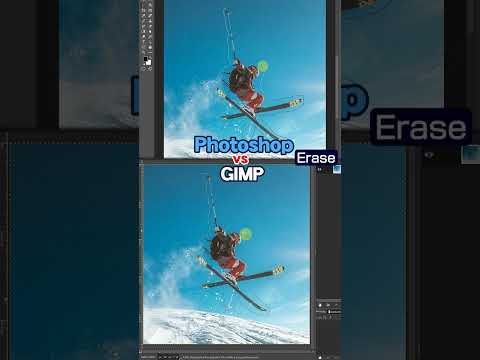
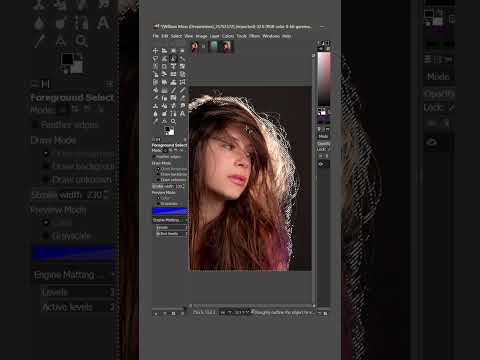
4 review videos aggregated · praise and criticism included alike · click through to the original video
Channels that covered it
Channels are aggregated as sources only — we don’t rate creators

Related tools




Where to go next
External links open in a new tab; external content is independent of this site.
Link down? Every object page is re-checked monthly.