

Descript — Audio and video editor you drive by editing the transcript, not the timeline
What it is
Descript transcribes your recording, then lets you edit media by deleting words in the transcript; studio sound, filler-word removal and Overdub voice cloning sit on top. For podcasts, talking-head YouTube and internal video it removes most timeline work. Rendering complex effects and the subscription cost are where reviews push back.
Editor's review
Long-form introduction by the BetterPicker editors · checked against the official site · Oct 9, 2026
Descript is the editor to pick when your raw material is talking: podcasts, interviews, YouTube voiceovers, meeting recordings. It transcribes everything, then lets you edit the recording by editing the text, so deleting a sentence from the page deletes it from the audio. Free to start, paid plans from $16 a month, and genuinely unlike a traditional timeline editor. It will not replace a video editor for cinematic work, and transcription errors need watching, but for spoken-word production it changes the job.
What it does well
Editing text edits the media. The transcript is the timeline: remove a paragraph and the audio and video follow, reorder paragraphs and the cut reorders with them. Filler words come out in one sweep, gaps tighten automatically, and a spoken-word edit stops being waveform surgery and starts being proofreading.
Cleanup tools earn their keep. Studio Sound makes phone recordings sound deliberately produced, and the filler-word removal alone justifies the subscription for anyone who says "um" professionally. Built-in screen recording lands directly in a project already transcribed, which turns tutorial production into an afternoon chore instead of a weekend one.
It exports finished video too. Captions generate automatically, clips resize for social platforms, and the timeline is there when you need frame-level control. For talking-head YouTube, course lessons, and internal communication videos, the entire pipeline from recording to publish lives in one window.
Who it's for
Podcasters, talking-head YouTubers, course creators, and teams that record meetings and want them searchable and trimmable afterward. Solo podcasters are the core constituency. It fits anyone whose source material is primarily speech. It fits poorly for music production, effects-heavy editing, or cinematic color work, where traditional digital audio workstations and video editors remain the right tools and Descript politely stays out of the way.
Where it falls short
The transcript is the foundation, and it errs. Accents, overlapping speakers, and jargon produce mis-transcriptions, and a wrong transcript means wrong edits executed confidently. Proofreading the text is part of the workflow, not an optional step, and the proofreading burden grows with audio quality problems. Budget that time honestly.
Heavy video work wants a real editor. Multicam, layered effects, and color grading belong in a dedicated editor; Descript handles straightforward talking-head video and stops. Treat it as the fastest path to a clean cut, then hand the file onward if the project grows beyond that.
Costs scale with volume. The free tier covers trying it, but transcription hours and features run out quickly on real workloads, and the Hobbyist, Creator, and Business plans start at $16 monthly. Production teams should budget for the paid tier from day one rather than discovering the ceiling mid-season.
Specs at a glance
Facts from the official site · not editorial opinion
| Pricing | Free to start; paid plans from $16/mo (Hobbyist, Creator, Business) |
|---|---|
| Core idea | Edit audio and video by editing the transcript |
| Key features | Studio Sound, filler-word removal, screen recording, auto captions |
| Platforms | Windows, macOS, Web |
| Best for | Podcasts, interviews, talking-head video, meetings |
| Export | Audio and video, social-ready resizes |
| Company | Descript |
Frequently asked questions
▸What is Descript?
Descript is an audio and video editor built around an automatic transcript. You record or import media, it transcribes everything, and you edit the recording by editing the text. It also adds cleanup tools like Studio Sound and exports finished podcasts or videos.
▸Is Descript free?
There is a free plan to learn the workflow, with limited transcription hours and export allowances. Paid plans start at $16 per month and raise the limits while adding features. Anyone producing a weekly show will land on a paid plan quickly.
▸How does editing text actually change the audio?
Descript aligns every word in the transcript to its exact position in the recording. When you delete or move words on the page, the corresponding media is cut or reordered to match. It feels like editing a document, and for spoken content the result is a normal edited recording.
▸Descript or a traditional editor?
Use Descript when the content is speech: podcasts, interviews, lectures, and talking-head video, where text-based editing is dramatically faster. Use a traditional editor when the work depends on precise timeline control, effects, or music. Many creators cut the first pass in Descript and finish elsewhere.
Reviews on YouTube
5 review videos aggregated · praise and criticism included alike · click through to the original video
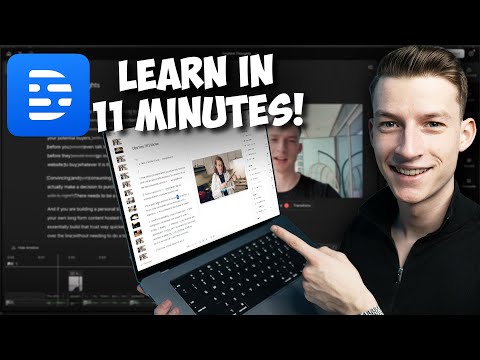
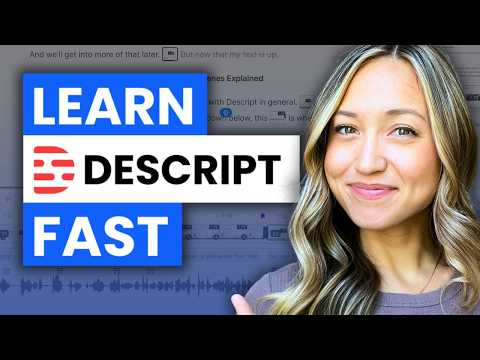
Channels that covered it
Channels are aggregated as sources only — we don’t rate creators




Related tools




Where to go next
External links open in a new tab; external content is independent of this site.
Link down? Every object page is re-checked monthly.